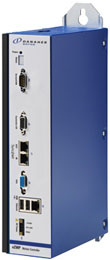
This Quick Start Guide explains how to set up and operate the eZMP-Synqnet as a Universal Plug 'N Play (UPnP) device over a network connection with Windows Remote Desktop or as a standalone industrial PC. After reading this guide, you will be able to:
- Operate the eZMP as a standalone industrial PC or with remote desktop via LAN or crossover cable connection.
- Enable Universal Plug 'N Play devices on a host system for network interaction with the eZMP.
- Observe safe startup and shutdown procedures.
- Quickly access vital statistics from the eZMP landing page.
You will be referred to the MPX.NET Quick Start Guide for instructions on installing MPX.NET and Microsoft Visual Basic Express on a host system.