|
|
| . |
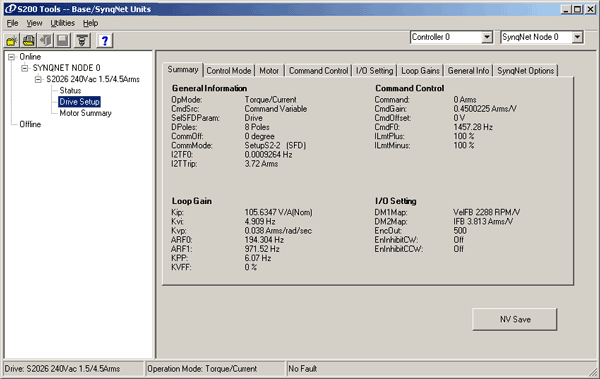
S200 Tools: Drive SetupThe Drive Setup menu allows you to view and edit drive related information.
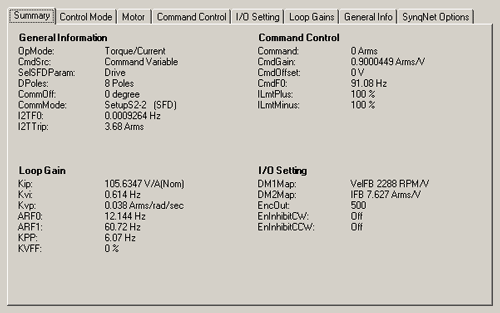
Summary tabThe Summary tab lists general information related to the S200 drive.
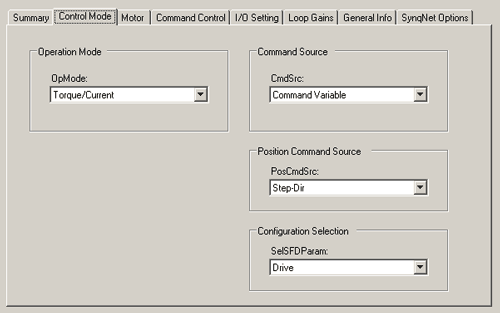
Control Mode tabThe Control Mode tab lists general information related to the S200 drive.
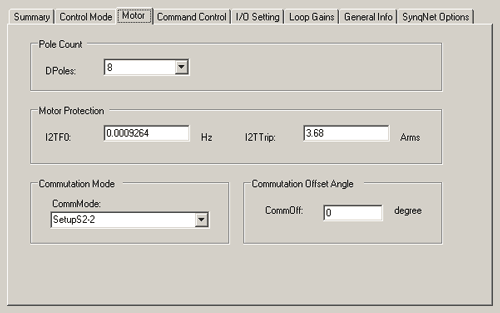
Operation Mode (OpMode)OpMode – See Description. Command Source (CmdSrc)CmdSrc – See Description. Position Command Source (PosCmdSrc)PosCmdSrc – See Description. Configuration Selection (SelSFDParam)SelSFDParam – See Description. Motor tabThe Motor tab lists general motor information.
Pole CountDPoles – See Description. Motor ProtectionI2TF0 (Hz) I2TTrip (Arms) Commutation ModeCommMode – See Description. Commutation Offset AngleCommOff (degree)
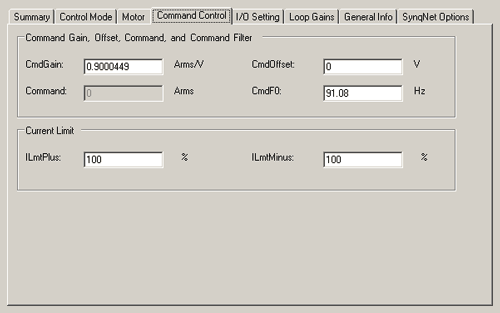
Command Control tabThe Command Control tab lists various command information.
Command Gain, Offset, Command, and Command FilterCmdGain (Arms/V) Command (Arms) CmdOffset (V) CmdF0 (Hz) Current LimitILmtPlus (%) ILmtPMinus (%)
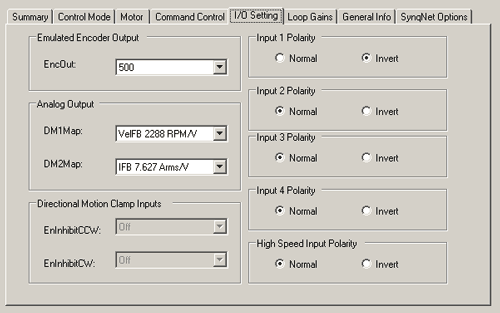
I/O Setting tabThe I/O Setting tab lists various I/O information.
Emulated Encoder OutputEncOut – See Description. Analog OutputDM1Map – See Description. DM2Map – See Description.
Directional Motion Clamp InputsEnInhibitCCW – See Description. EnInhibitCW – See Description. Input 1-4 PolarityNormal
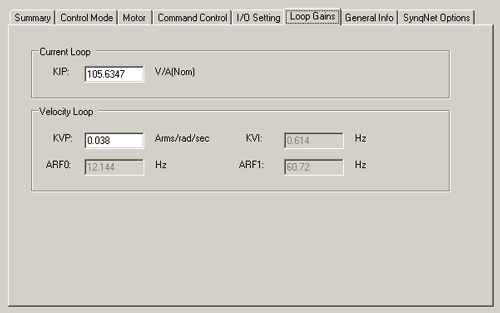
Loop Gains tabThe Loop Gains tab lists various Current Loop and Velocity Loop information.
Current LoopKIP [V/A(Nom)] Velocity LoopKVP (Arms/rad/sec) KVI (Hz) ARF0 (Hz) ARF1 (Hz) Position LoopKPP (Hz) KVFF (%)
General Info tabThe General Info tab lists other general information about the drive.
Battery DiagnosticBatFDis – See Description. Fault or FoldbackITMode – See Description. Fault DiagnosticFltDiag – See Description. SFDSpan or No SpanSFDSpan – See Description.
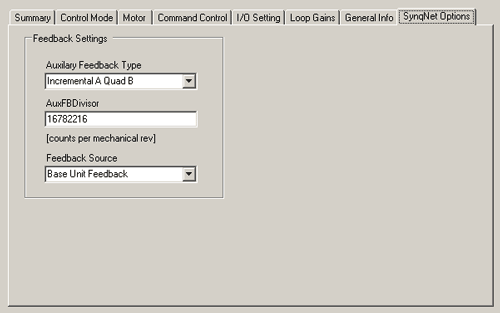
SynqNet Options tabNOTE: The SynqNet Options tab only appears when an S200 SynqNet Series Drive is connected. The SynqNet Option tab lists information specific to the SynqNet network.
Feedback SettingsAuxilary Feedback Type – See Description. AuxFBDivisor (counts per mechanical rev) Feedback Source – See Description. |
||||
| | | Copyright © 2001-2021 Motion Engineering |