How to Install the MPI App Wizard
for Visual C++ 6.0
Download and open the MPI
App Wizard Install for VisualC.zip file.
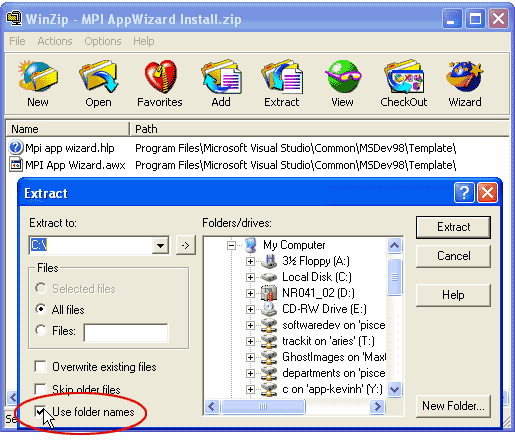
Extract files to the \Common\MSDev98\Template
directory. This will basically load a new "MPI" template into
Visual SourceSafe so that you can use it to create an MPI sample application.
For Visual C++ 6.0:
<Drive>\Program Files\Microsoft Visual
Studio\ Common\MSDev98\Template.
If your directory stucture matches the path above, you
may simply extract the files to the root directory of the drive and check
the "Use Folder Names" checkbox in WinZip® (as shown below).
|

